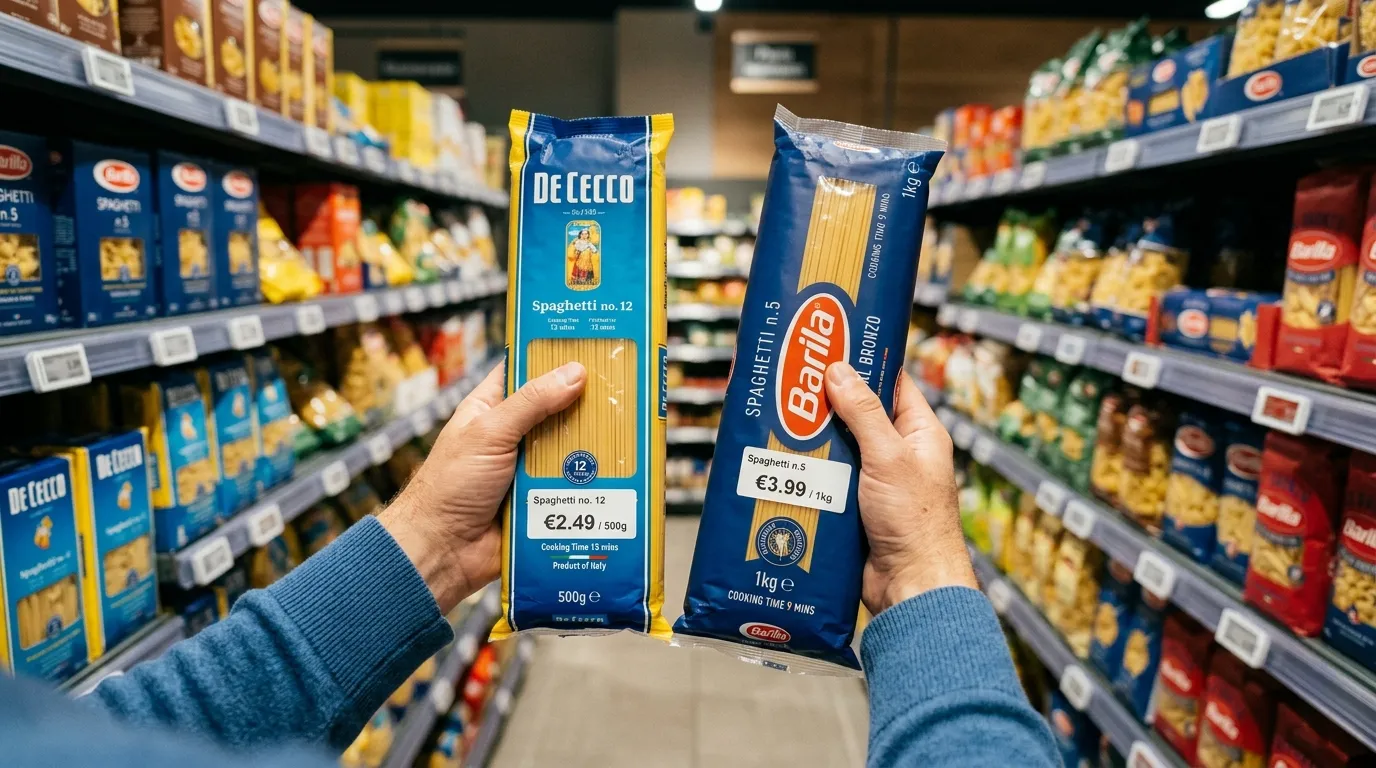
Bottom line first: BarcodeVibe is coming to mobile to help grocery shoppers stop making aisle decisions without context. The goal is not to add one more app between flyers, coupons, and loyalty cards. The goal is to give you better information at the moment the decision happens: in front of the product, in front of the shelf tag, in front of the package size, and in front of the basket.
With BarcodeVibe, the barcode becomes the starting point for a better grocery decision. You scan a product, confirm what you are buying, keep a price memory for your regular staples, compare real value, and benefit from observations shared by the community.


Why mobile changes the grocery problem
Grocery decisions do not only happen at home. They often happen in the aisle, when:
- a flyer deal looks promising;
- two package sizes look similar but do not offer the same value;
- a regular product seems more expensive than usual;
- a brand quietly changes weight, volume, or count;
- another shopper may already have spotted a better option.
That is why the mobile launch matters. A web page can explain a method. A mobile app can support the decision at the moment it is being made.
What BarcodeVibe is built to simplify
BarcodeVibe starts from a practical idea: the shelf price is not enough. It needs to be connected to the exact product, package size, price history, store, and basket.
| Grocery need | What BarcodeVibe adds | Useful page |
|---|---|---|
| Check a product in the aisle | Scan the barcode and confirm the exact item | Barcode scanner |
| Compare before buying | Judge a product or basket with more context | Price comparison |
| Stop relying on memory | Track products you buy often | Grocery price tracker |
| Catch hidden value loss | Read package size, unit value, and possible changes | Shrinkflation |
| Find better grocery candidates | Review deals without letting them decide the whole basket | Grocery deals |
The difference matters: BarcodeVibe is not only trying to show discounts. BarcodeVibe is trying to help shoppers understand whether a purchase is actually worth it.


What BarcodeVibe is not
BarcodeVibe is not only a flyer app. Flyers show what is advertised. BarcodeVibe adds a verification layer: the exact product, unit value, tracking, and basket context.
BarcodeVibe is not only a barcode scanner. A basic scanner identifies a product. BarcodeVibe turns the scan into a decision: track, compare, verify, and contribute.
BarcodeVibe is not only a coupon app. A coupon can reduce a price, but it does not always tell you whether the product is still the best choice. BarcodeVibe helps compare real value before you conclude that something is a good deal.
A simple launch routine
Instead of scanning everything and tracking everything, start small. A practical BarcodeVibe routine should fit into a few steps:
- add your recurring products to tracking;
- compare realistic stores before the biggest grocery trip;
- scan only the products that need verification;
- watch package sizes that seem to have changed;
- share useful prices, deals, or shrinkflation signals with the community.
This routine works because it respects real life. Nobody wants to turn every grocery trip into a full audit. The right tool should add clarity without slowing down the whole basket.


The first products worth tracking
To start well, choose products you buy often. For example:
- milk;
- eggs;
- bread;
- yogurt;
- coffee;
- cereal;
- pasta or rice;
- canned goods;
- household basics;
- family snacks.
These are not always the most dramatic purchases. They are the purchases that repeat often enough to make price memory useful.
Who BarcodeVibe helps most
BarcodeVibe is for shoppers who want more context, not just more offers.
For families, the app helps read the products that come back every week and move the grocery bill.
For students, it helps quickly check whether a product is expensive, normal, or actually worth buying.
For deal hunters, it adds a validation layer: a deal is only a deal when the value is there.
For shoppers watching shrinkflation, it helps look at package size and unit value instead of trusting packaging alone.
For community-minded users, it turns a local observation into a useful signal for other shoppers.
How to prepare before the app arrives
Before the mobile launch, you can already prepare your first use:
- write down the products you buy almost every week;
- identify the stores you realistically compare, not every store possible;
- keep two or three package sizes in mind that seem to have changed;
- note where price per kilogram, price per 100 grams, or price per unit helps most;
- open Download BarcodeVibe when you want to follow the app launch.
The mobile launch will be more useful if your first session starts with your real products, your real stores, and your real questions.
Quick questions before launch
Does BarcodeVibe replace flyers?
Not necessarily. Flyers are still useful for discovering advertised deals. BarcodeVibe is mainly for checking whether those deals actually improve the value of the basket.
Do I need to scan every product?
No. Scanning is most useful when the product is recurring, when the package size seems to have changed, or when a price looks too good to judge without context.
Does BarcodeVibe guarantee the lowest price?
No. The app helps compare, track, and verify available information. The real in-store price should always be confirmed at the time of purchase.
Does the community replace official data?
No. Community observations are useful signals, not absolute proof. Their value comes from making visible information that shoppers would otherwise keep to themselves.
What to remember
BarcodeVibe is coming to mobile to make grocery shopping easier to read. Barcode scanning, price tracking, comparison, shrinkflation signals, and community observations are more useful when they are available at the moment you choose.
If you keep one idea before launch, make it this: do not let the shelf tag decide alone. Scan, compare, then buy with context.